Move beyond basic AI video prompts. Learn temporal control, camera grammar, and multi-shot chaining techniques for top video models.
The difference between a mediocre AI video and a compelling one often comes down to one thing: how well you structure your prompt. Basic prompting — "a cat walking in a park" — works for still images but falls apart for video because video adds the fourth dimension: time.
This guide covers the advanced prompt structures that define late-2026 AI video production. You'll learn temporal control, camera grammar, and multi-shot chaining — techniques that separate quick tests from production-ready output.
Why Video Prompts Need a Different Approach from Image Prompts
An image prompt specifies a single frame — composition, lighting, subject, style. A video prompt must specify all of that plus motion, timing, transitions, and narrative flow across multiple frames. Most AI video models now support structured prompt elements that go far beyond natural language descriptions.
The key difference is temporality. In image generation, the model interprets your prompt as a static scene. In video generation, the model must infer movement, duration, and sequence from your words. Without explicit temporal guidance, the model makes those decisions for you — often with generic, repetitive motion patterns.
Hong Kong creators producing commercial content — real estate walkthroughs, product showcases, brand advertisements — cannot afford generic motion. Every second needs intent.
Temporal Prompting: Controlling What Happens When
Temporal prompting means specifying what happens at different points in the video timeline. Several late-2026 models support structured temporal syntax:
Veo 3.1 uses a shot-list approach: describe the video's opening, middle, and ending as separate prompt blocks. "A wide shot of Victoria Harbour at sunrise | a junk boat sails slowly across the frame | close-up on the sail catching golden light" produces a deliberate three-act micro-narrative.
Seedance 2.5 accepts duration-aware prompts: appending "[0-5s]" and "[5-10s]" signals actions per segment. "A chef plates a dish [0-5s] | customer takes first bite [5-10s]" creates two distinct temporal phases in a single generation.
FLUX 3 Video interprets sequential action verbs as chronological order. "A neon sign flickers on. Rain drips down a Kowloon alleyway. A figure turns the corner, umbrella low." Each clause becomes a successive moment.
LTX-2.5 and MiniMax H3 support timing hints within the prompt text. LTX uses parenthetical markers like "(opening)" and "(closing)", while MiniMax H3 accepts colon-separated timing segments.
The best approach for Hong Kong production workflows is combining natural narrative with explicit temporal markers. Even without formal syntax, descriptive sequential language still guides generation toward your intended timeline.
Camera Grammar for AI Video: Dolly, Pan, Tilt, and Beyond
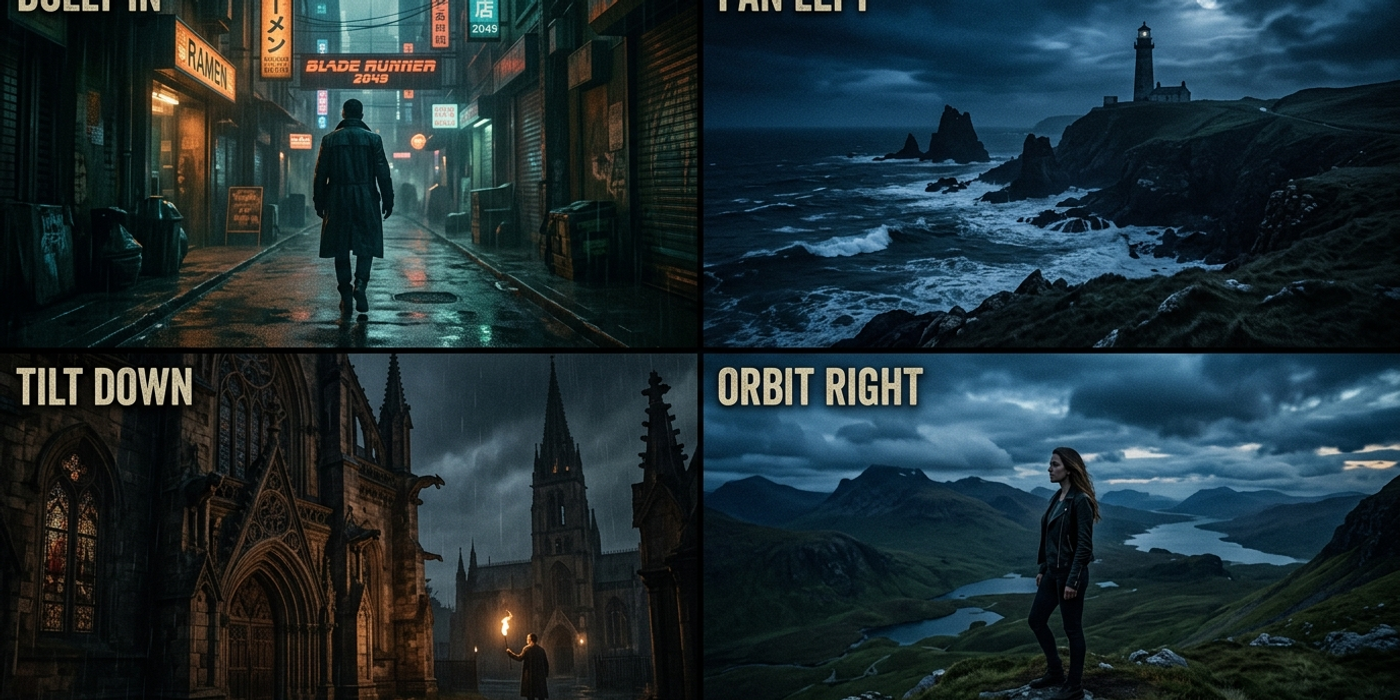
Camera motion language has become a recognised prompt layer across major models.
Dolly (camera moves toward or away): "dolly in slowly" or "camera pushes in" creates perspective shift. Most models interpret this as a 3-5 second movement. "dolly out to reveal" works as a cinematic reveal technique.
Pan (horizontal camera rotation): "pan left across" or "pan right to show" triggers horizontal motion. Kling 3.0 and Seedance 2.5 handle this most reliably.
Tilt (vertical camera rotation): "tilt up to reveal" or "camera tilts down" works across Veo 3.1, FLUX 3 Video, and LTX-2.5.
Orbit (camera circles around subject): "orbit around" or "360-degree rotation" produces circular motion. Most reliable on Seedance 2.5 and Veo 3.1.
Multi-motion combos: Advanced prompting chains camera moves: "dolly in slowly as camera pans right" requires the model to synthesise two simultaneous motions. Veo 3.1 and Seedance 2.5 handle this best.
For Hong Kong real estate and product videos, a reliable pattern is: "dolly in past foreground object, pan right to reveal subject, tilt down slowly for full product view." This three-move chain produces natural cinematic footage consistent with commercial shooting.
Multi-Shot Chaining: Creating Coherent Multi-Clip Sequences
Most commercial content requires multiple shots. Multi-shot chaining generates several clips with intentional visual continuity.
Consistent character prompting: Generate a character in one shot, then use the exact same description plus "same person, same outfit, same lighting" reinforcement in subsequent clips.
Style lock via reference images: Most 2026 video models accept reference-image input. Upload one frame from your first clip as a reference for the second — this locks colour grade, lighting, and composition across shots.
Temporal bridging: End one clip's prompt with action that leads into the next clip's opening. "Character looks off-screen left" then "character sees something approaching from the right" creates narrative flow between independently generated clips.
For HK advertising agencies producing spot campaigns, a practical workflow is: generate wide establishing shots first with a consistent scene description, then closer shots with the same reference image. This cuts post-production colour-grading time by roughly 60 percent.
Model-Specific Prompt Syntax Comparison
Each major video model has its own prompt syntax sweet spot:
| Model | Best Prompt Style | Key Strength | |-------|-------------------|-------------| | Veo 3.1 | Shot-list narrative with scene markers | Camera motion accuracy, temporal control | | Kling 3.0 | Short, descriptive action sentences | Pan and tracking shots | | Seedance 2.5 | Bracket-timed segments with camera language | Multi-segment timelines, orbit motion | | FLUX 3 Video | Sequential verb clauses | Cinematic lighting transitions | | LTX-2.5 | Parenthetical timing markers | Camera tilt and dolly reliability | | MiniMax H3 | Colon-separated timing with scene context | Multi-shot coherence |
For Hong Kong creators managing multiple projects, a useful meta-skill is translating the same creative brief into each model's preferred syntax — the scene stays the same, but the prompt structure changes.
Frequently Asked Questions
Q: Do all AI video models recognise camera language? A: Most major models handle basic camera terms (dolly, pan, tilt), but only Veo 3.1 and Seedance 2.5 reliably interpret multi-motion combos. Test camera language on your specific model before final production.
Q: How long should a temporal prompt segment be? A: Each segment should describe roughly 3-5 seconds of action. Longer segments dilute temporal specificity. For 15-second clips, aim for 3-4 segments.
Q: Is natural language better than structured prompts? A: Natural language works well for models trained on cinematic descriptions (Veo 3.1, FLUX 3 Video). Structured syntax helps on models trained with explicit temporal data (Seedance 2.5, Kling 3.0). The safest approach is natural language with occasional structured markers.
Q: Can I use reference images across different AI video models? A: No — each model uses its own reference encoding. However, you can describe the reference scene in the prompt to achieve approximate consistency.
Q: What's the biggest mistake Hong Kong creators make with video prompts? A: Treating video prompts like image prompts. "modern Hong Kong apartment, warm lighting" gives great stills but generic video. Adding temporal progression — "morning light spreads across an apartment as blinds open" — transforms output from static to cinematic.
Q: How do I prompt slow-motion AI video? A: Use duration language: "slow motion, 10 seconds" or "gradual, extended movement across 8 seconds." Seedance 2.5 and MiniMax H3 have the most reliable slow-motion behaviour.
Q: Can I prompt AI video in Cantonese or Chinese? A: Most models accept Chinese prompts but respond better to English for technical camera language. Recommended approach: English for camera and temporal instructions, Chinese or Cantonese for scene descriptions and cultural context.
Q: What's coming next in AI video prompting? A: Multi-model orchestrators that translate one prompt style across different engines, and frame-level temporal control where each prompt segment maps to exact frame numbers. Early prototypes appeared in mid-2026 and are expected in production tools by early 2027.