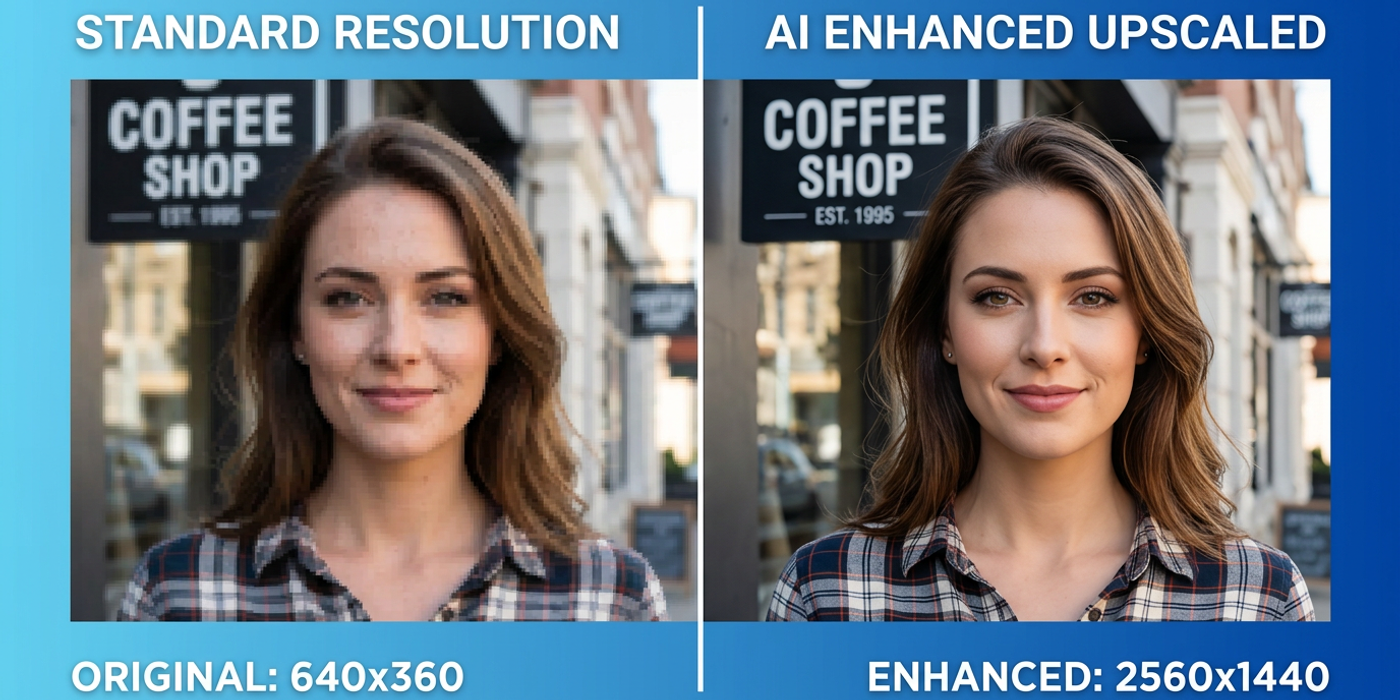
Choosing the right AI upscaler for e-commerce, social media, print, or video frames can radically change output quality. A use-case guide to 2026's top tools.
AI image upscaling isn't a one-size-fits-all problem. An upscaler that preserves every pixel for print may be overkill for Instagram stories, while a fast web-optimised upscaler may lack the detail needed for product catalogues. In 2026, the upscaling landscape is more diverse than ever — diffusion-based, GAN-based, and transformer-based models compete across speed, detail retention, and cost. Here's a use-case guide to choosing the right tool for the job.
Understanding the Core Upscaling Approaches in 2026
Before picking a tool, it helps to know what's happening under the hood. Three architectural approaches dominate 2026's upscaling market.
Diffusion-based upscalers (like Stability AI's latest upscaling pipeline, ComfyUI workflows with tile-based diffusion, and Clipdrop's Cleanup with upscale) offer the highest detail recovery. They reconstruct textures and fine details that appear lost in low-resolution originals. The trade-off is speed — diffusion upscaling takes 30–90 seconds per image on consumer GPUs.
GAN-based upscalers (including ESRGAN-based workflows, Topaz Photo AI, and various real-time upscalers) are faster — typically 5–15 seconds per image — and excel at sharpening edges and removing compression artifacts. Their weakness is less convincing texture reconstruction; they can produce oversmoothed surfaces.
Transformer-based upscalers (like the upscaling modules inside MAI-Image-2.5, FLUX Schnell's native upscale, and ChatGPT Images 2.5's output enhancement) are the newest category. They blend the detail recovery of diffusion with the speed of GANs, often completing in 10–20 seconds. They're particularly strong at preserving text and logos — a key advantage for Hong Kong brands with bilingual brand materials.
For E-Commerce: Consistency and Sharpness at Scale
Hong Kong e-commerce brands process hundreds of product images daily. For this workflow, consistency matters more than absolute peak quality. The best results come from pipeline-based upscaling: generate product photos at 1024x1024, then batch-upscale to 2048x2048 or higher with a consistent model.
Top picks for e-commerce are diffusion upscalers integrated into batch workflows. ComfyUI with tile-based diffusion handles 50+ images per batch while maintaining consistent quality across all outputs. Tools like Claid.ai and Pixelcut offer API-based batch upscaling tuned specifically for product photography — they preserve fabric textures, packaging details, and label text reliably.
GAN-based upscalers like Topaz Photo AI work well for quick individual images but introduce inconsistent texture handling across a batch — some images come out sharp, others oversmoothed. For catalogues where every product needs to look consistent, diffusion or transformer-based batch workflows win.
For Social Media: Speed and Aesthetic Preservation
Social media content has different priorities. Platform compression already degrades quality, so chasing perfect detail recovery is wasted effort. The goal is preserving the aesthetic feel — colour accuracy, contrast, and composition — at resolutions that fit each platform's specifications.
Transformer-based upscalers shine here. Tools like FLUX Schnell's native upscale and ChatGPT Images 2.5's enhancement mode deliver good results in 8–12 seconds. They maintain the original model's stylistic character better than generic upscalers, which is critical when the image was generated with a specific AI aesthetic in mind.
For Instagram Reels thumbnails, Threads cards, or LinkedIn banners, the practical sweet spot is 1080x1080 to 1920x1080. Upscaling beyond that adds no benefit — platform compression eats the extra detail. A fast transformer upscaler that preserves the original composition and colour profile is all you need.
For Print and High-Resolution Output: Maximum Detail Retention
Print demands the highest possible detail. A 300 DPI A4 print needs roughly 2480x3508 pixels. Most AI generation models output at 1024x1024 or 1536x1536, making 2–4x upscaling necessary.
Diffusion-based upscalers are the only reliable choice for print. Tile-based diffusion workflows in ComfyUI or AUTOMATIC1111 produce results that hold up under magnification. The key technique is multi-pass upscaling: upscale 2x, then apply detail refinement, then upscale again to the target resolution.
For Hong Kong brands producing billboard ads, trade show banners, or premium print catalogues, the extra processing time is worth it. A 10-minute diffusion upscale of a key product hero image can be the difference between a crisp print and a soft disappointment. Tools like Magnific AI and Let's Enhance pro tiers offer this level of quality in cloud-based workflows without requiring local GPU hardware.
For Video Frame Upscaling: Temporal Consistency
Upscaling individual video frames is a different challenge. Frame-by-frame upscaling introduces flicker and instability — each frame gets processed independently, producing subtly different results that shimmer in playback.
The solution is temporal-aware upscalers that maintain consistency across frames. Topaz Video AI remains the industry standard for video upscaling in 2026, with models trained to track objects across frames and apply consistent texture. Runway's frame upscaling and ComfyUI's VideoFusion nodes also support temporal batch processing, though they require more manual setup.
For Hong Kong video producers upscaling AI-generated clips from Veo 3.1 or Seedance 2.5, the best approach is to upscale before editing — apply temporal upscaling to raw footage, then cut and assemble. Upscaling after editing multiplies processing time because every cut creates a new temporal boundary.
Frequently Asked Questions
Q: Which AI upscaler preserves the most detail in 2026? A: Diffusion-based upscalers produce the highest detail recovery, with tile-based ComfyUI workflows leading for fine texture reconstruction. Magnific AI leads for cloud-based workflows.
Q: Are free upscalers good enough for e-commerce product photos? A: Free upscalers like waifu2x or basic Clipdrop upscaling work for thumbnails but lack the batch consistency needed for full catalogues. Paid API-based upscalers are worth the cost for production use.
Q: How much resolution do I need for social media in 2026? A: 1080x1080 for most platforms, 1920x1080 for landscape video thumbnails. Upscaling beyond platform limits adds no visible benefit.
Q: Do I need a dedicated upscaler if my AI model already outputs high resolution? A: Models like MAI-Image-2.5 and Ideogram 4.0 output up to 2K natively, reducing the need for upscaling. But if generating at 1024 and need print-quality output, a dedicated upscaler still adds noticeable detail.
Q: Can I upscale AI-generated video without losing quality? A: Yes, but use temporal-aware upscalers like Topaz Video AI to avoid frame flicker. Upscale raw footage before editing for best results.
Q: Which upscaler is best for preserving Chinese text and logos? A: Transformer-based upscalers like those inside MAI-Image-2.5 and ChatGPT Images 2.5 preserve text better than GAN-based alternatives. GAN upscalers tend to blur small text while sharpening edges.
Q: How many upscaling passes should I use for print? A: Two to three passes: 2x upscale, detail refinement, then final upscale to target resolution. More than three passes introduces diminishing returns and risks artifacts.
Q: Is upscaling still relevant in 2026 with native high-res models? A: Yes, because many of the best creative models still output at 1024–1536 resolution by default. Upscaling bridges the gap between native output and specific output requirements.