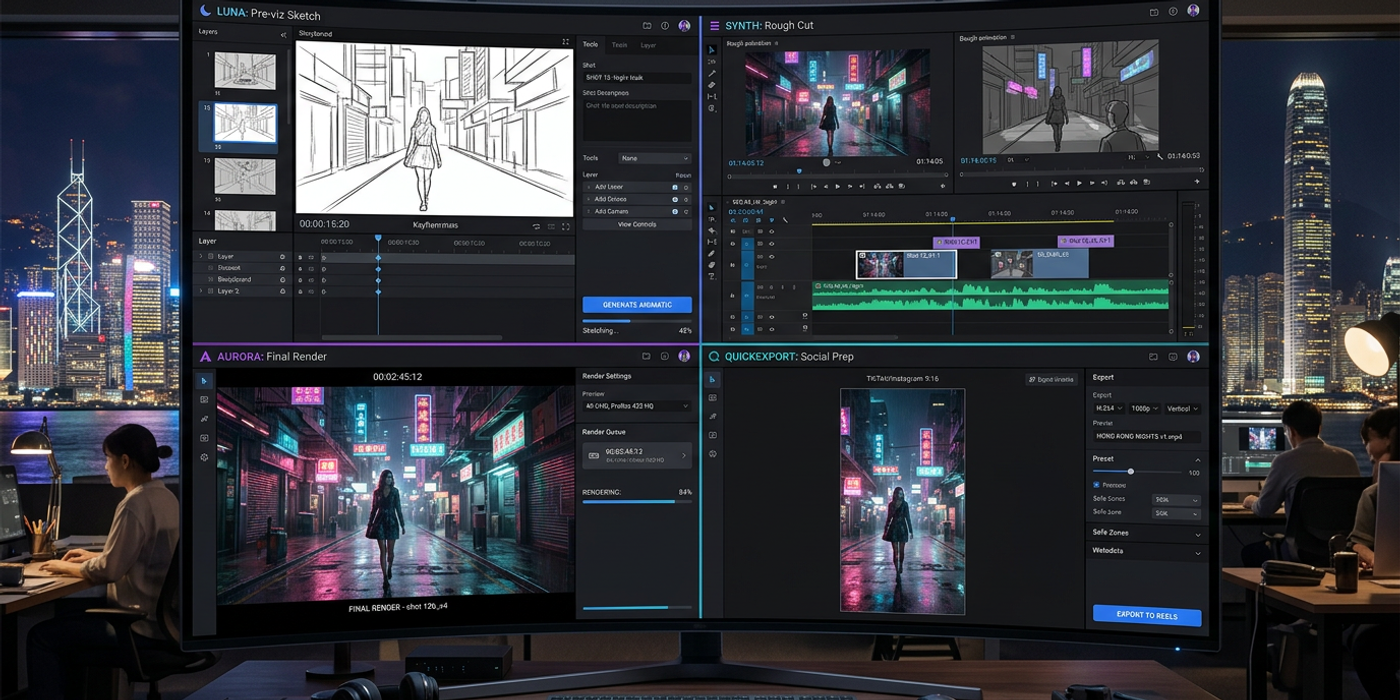
Stop comparing specs. Match AI video models to real production workflows — pre-viz, rough cuts, final renders. A practical guide for Hong Kong creators.
Three Production Phases, Three Model Strengths
The AI video model landscape in late 2026 has settled into a pattern: no single model dominates every use case. Veo 3.1 excels at cinematic quality but runs slower. Kling 3.0 offers the best speed-to-quality ratio for rapid iteration. Seedance 2.5 produces full 30-second clips with native audio. And new contenders like LTX-2.5 and MiniMax H3 have introduced real-time generation and omni-modal output.
For Hong Kong creative agencies juggling tight deadlines and varied deliverables — from social media shorts to broadcast commercials — the smart move is matching the model to the production phase. Here is a decision framework based on how three major production phases map to model strengths.
Pre-Visualization: Speed is King
Pre-viz is where you explore visual directions fast. A 10-second test clip that lets the client approve a camera angle or lighting direction before committing to a full render. In this phase, generation speed matters more than final quality.
Best pick: Kling 3.0. Kling generates usable clips in 30-60 seconds per 5-second segment. The trade-off is noticeable at close inspection — skin textures and motion coherence are good but not flawless — but for pre-viz, those imperfections are acceptable. You kill renders and try another prompt without burning budget.
Runner-up: LTX-2.5. LTX-2.5 offers real-time generation at reduced resolution. A 5-second 480p clip renders in under 10 seconds on a reasonable GPU. For rapid storyboarding with AI video, this is the fastest path from prompt to moving image.
When to skip: Veo 3.1. Veo produces the best quality but takes 3-5 minutes per clip. That latency makes rapid iteration painful. Reserve Veo for phases where quality justifies the wait.
Rough Cut Production: Balance of Quality and Iteration
The rough cut phase is where you lock in the narrative structure, timing, and shot sequence. You need multiple takes per scene — different camera angles, lighting setups, subject positions. Speed and iteration cost matter as much as quality.
Best pick: Kling 3.0 again, but for different reasons. Kling's batch mode generates 4 variations per prompt in roughly the same time as a single clip. For a 15-second rough cut, you can generate 12 three-second segments with 4 variations each, review the best takes, and compile a first pass in under an hour.
Runner-up: Seedance 2.5. Seedance produces longer clips (up to 30 seconds) with native audio. For rough cuts that include dialogue or ambient sound, Seedance eliminates the separate step of adding post-sync audio. This saves a full production day on projects where audio timing is critical — product demos with voiceover, interview-style content.
When to consider: MiniMax H3. H3 generates video with spatial audio baked into the output. The 12-second clip length and higher per-generation cost make it less suited for high-iteration rough cuts, but for select scenes where audio placement determines the edit, it is worth generating a single reference take.
Final Render: Quality Above All
Final render is the phase where every frame matters. The client has signed off on the rough cut, and the deliverable goes to broadcast, cinema, or premium social placements. Resolution, motion coherence, lighting realism, and artifact-free output are non-negotiable.
Best pick: Veo 3.1. Veo still leads in overall video quality in late 2026. Its 1080p output at 24fps produces the most film-like results — accurate motion blur, consistent character rendering across cuts, and natural lighting simulation. For a 30-second broadcast commercial, frame-by-frame inspection shows fewer artifacts than any competing model.
Runner-up: Seedance 2.5 for long-form content. Veo caps at 10-15 second clips. For longer scenes, Seedance's 30-second output means fewer stitch points. The video quality is very close to Veo at the 1080p level, and native audio sync eliminates manual alignment work.
Watch for: Kling 3.0 in final render. Kling has improved its quality significantly since mid-2026. Its quality mode setting — which doubles generation time — produces output that rivals Veo for certain scene types: slow pans, static subjects with subtle motion, and abstract visuals. For product shots and talking-head content, Kling quality mode may be indistinguishable from Veo at half the cost.
New Contenders Changing the Math
Several model launches since mid-2026 have shifted the decision matrix.
FLUX 3 Video from Black Forest Labs introduced consistent character rendering across clips — a major pain point for narrative video. For rough cuts where the same character appears in multiple scenes, FLUX 3 reduces the iterative prompting needed to maintain visual continuity.
Pika 2.0 remains the best option for adding visual effects to existing footage. Its compositing pipeline — green-screen keying, object insertion, style transfer — makes it more of a post-production tool than a primary generator. For HK agencies adding product overlays or branded backgrounds to existing footage, Pika slots into the final render phase as a finishing layer.
ByteDance Seedance 2.5 is the strongest late-2026 entrant for all-in-one production. The ability to generate 30-second clips with synchronized audio reduces production pipeline complexity by eliminating separate audio generation and alignment steps. For social media content — where 15-30 second clips with background music are the standard — Seedance can replace a multi-tool workflow with a single model pass.
Frequently Asked Questions
Q: Which AI video model is best for producing social media shorts in 2026? A: Seedance 2.5 for 15-30 second clips with audio, or Kling 3.0 in batch mode for rapid 3-5 second clips. Both fit within platform limits and generate quickly.
Q: Can I use Veo 3.1 for client presentations even if it is slower? A: Yes. Use Kling 3.0 for pre-viz to present multiple options fast, then render the selected direction in Veo for the final presentation. Clients understand the quality difference on a large screen.
Q: How do I handle character consistency across clips with different models? A: FLUX 3 Video has the strongest character continuity. Alternatively, keep a seed library — save the random seed from every generation and use the same seed plus consistent prompt structure across clips.
Q: Does LTX-2.5 require expensive hardware to run? A: LTX-2.5 runs on consumer GPUs with 8GB+ VRAM for real-time low-resolution output. For 1080p generation, a cloud GPU with 24GB VRAM is recommended.
Q: Is the native audio from Seedance 2.5 good enough for final delivery? A: For background mood and ambient sound, yes. For dialogue or voiceover, generate the audio track separately and sync manually for higher fidelity.
Q: How many times should I iterate on a prompt before moving to a different model? A: If three generations with different prompt variations do not produce a usable clip, switch models. Some scene types are simply better suited to one model over another.
Q: Which model is most cost-effective for a five-figure monthly production budget? A: Kling 3.0 offers the best cost-per-usable-clip ratio. At scale, use Kling for rough cuts and 80% of final renders, reserving Veo and FLUX 3 for hero shots and broadcast deliverables.
Q: Do I need separate audio generation tools if I use MiniMax H3? A: MiniMax H3 includes spatial audio, which is sufficient for ambient scenes and background effects. For voiceover or music, dedicated tools like ElevenLabs or Suno still produce better results.