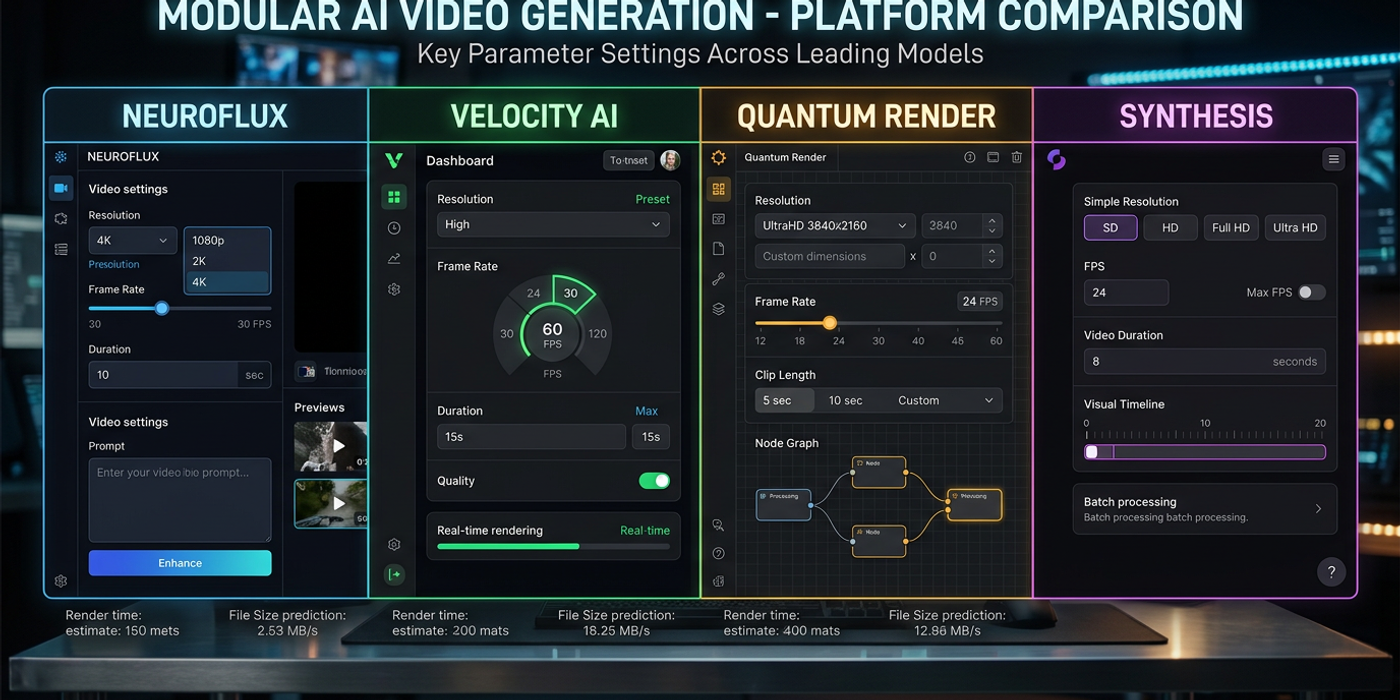
A practical guide to AI video resolution, frame rate, and duration settings per model. Find optimal parameters for Veo 3.1, Kling 3.0, Seedance 2.5, and more.
AI video models handle resolution, frame rate, and duration differently. Settings that work on Veo 3.1 may produce poor results on Seedance 2.5. Each model has a sweet spot where it delivers the best quality per generation credit.
This guide maps optimal video parameters for every major AI model available to Hong Kong creators in late 2026 — from 4K footage for HSBC to social clips for e-commerce.
Resolution: Know Each Model's Native Output
Resolution is the most consequential parameter. Running a model at non-native resolutions produces artifacts, inconsistent motion, or doubled rendering time.
Veo 3.1 generates natively at 1080p and 4K. Its upscaler is built into the pipeline — requesting 4K does not degrade quality. Generating directly at 4K is more reliable than upscaling in post.
Kling 3.0 maxes at 1088×1088 (square) and 1920×1080 (landscape). Pushing beyond triggers the auto-upscaler, adding ~30 seconds. Stick to 1088×1088 for square social assets.
Seedance 2.5 generates natively at 720p and can go up to 1080p with quality trade-offs. The sweet spot is 720p — the model's training resolution, producing the most consistent motion.
FLUX 3 Video outputs at 720p natively, with experimental 1080p for simple scenes. For complex compositions with fast motion or detailed backgrounds, stick to 720p.
LTX-2.5 generates up to 1080p in 4K HDR mode (standard: 960×540). The upsample mode adds 40% to generation time for film-grade results.
MiniMax H3 renders at 1440×768 in its default setting, with widescreen (1920×816) available as a prompt parameter. The wider aspect ratio does not sacrifice quality — the model trained on cinema-scope content.
Alibaba Wan3.0 outputs at 1088×1088 (square) and 1920×1080 (landscape). Its 30-second limit means higher resolution shortens maximum clip length.
Frame Rate: Matching Output to Your Target Platform
Frame rate determines motion smoothness. Each model has a native rate where rendering is most consistent; deviating causes flickering, judder, or doubled generation time.
Veo 3.1 handles 24, 30, and 60 fps natively. For cinematic content, 24 fps produces the most film-like motion blur. For social media ads, 30 fps is standard.
Kling 3.0 generates at 24 fps by default and supports up to 30 fps. Pushing to 60 fps introduces stutter because the model interpolates rather than generating at native temporal resolution. Stick to 24 fps for narrative content.
Seedance 2.5 outputs at 24 fps and cannot be configured higher. ByteDance designed the model for cinematic short-form content where 24 fps is standard. For 30 or 60 fps, interpolate in post-production.
FLUX 3 Video defaults to 24 fps and supports 30 fps via an experimental flag. The model's native audio is synced to 24 fps — changing it may desync the soundtrack.
LTX-2.5 supports 24, 30, and 60 fps, with 24 fps producing the most consistent coherence. The 60 fps mode suits action scenes or product demos needing sharp individual frames.
MiniMax H3 generates at 24 fps natively, with 30 fps available for shorter clips (8 seconds max versus 12 at 24 fps). Worth it for fast-paced content.
Alibaba Wan3.0 outputs at 24 fps across all duration modes. Frame rate and duration are inversely linked — longer 24 fps clips are more reliable than shorter higher-fps ones.
Duration: Maximum Clip Length Per Model
Duration limits vary across models. Knowing your ceiling prevents discovering mid-production that your concept needs a cut.
| Model | Max Duration | Optimal Duration | |-------|-------------|-----------------| | Veo 3.1 | 60 seconds | 15-30 seconds | | Kling 3.0 | 10 seconds | 5-8 seconds | | Seedance 2.5 | 30 seconds | 8-15 seconds | | FLUX 3 Video | 20 seconds | 5-10 seconds | | LTX-2.5 | 12 seconds | 6-10 seconds | | MiniMax H3 | 12 seconds | 6-10 seconds | | Alibaba Wan3.0 | 30 seconds | 10-20 seconds |
Veo 3.1 dominates on duration with a 60-second ceiling. For long-form content like product demos or training videos, this is the only single-shot option.
Kling 3.0 maxes at 10 seconds but the first 5-8 seconds are visually superior. Temporal attention degrades past 8 seconds — plan outputs as 5-8 second segments stitched in post.
Seedance 2.5 hits 30 seconds but quality plateaus at 8-15 seconds. Beyond 15, characters flicker and backgrounds drift. For social media ads (6-15 seconds), this model is ideal.
Alibaba Wan3.0 offers 30-second clips but quality is strongest in the first 10-20 seconds. It handles scene transitions well at long durations, suiting mini-documentary content.
Putting It Together: Workflows by Use Case
Cinematic brand film (30-60 seconds): Generate on Veo 3.1 at 4K, 24 fps, with 15-30 second segments. Layer in LTX-2.5 for close-up shots where 4K HDR matters. Composite in post.
Social media ad (6-15 seconds): Generate on Seedance 2.5 at 720p, 24 fps, 8-15 second clips. For square formats (Instagram, Facebook), switch to Kling 3.0 at 1088×1088.
Product demo (10-20 seconds): Use Alibaba Wan3.0 at 1088×1088, 24 fps, 10-20 second clips. Multi-modal input lets you start from a product image rather than text.
Short cinematic sequence (8-12 seconds): Generate on FLUX 3 Video at 720p, 24 fps, 5-10 second clips with native audio. The built-in soundtrack saves a post-production step.
Fast-paced action cuts (5-8 seconds each): Use Kling 3.0 at 1088×1088, 24 fps, 5-8 second segments. Stitch together in post for high-energy sequences.
Frequently Asked Questions
Q: Should I always use the highest resolution a model supports? A: No. Generating at native resolution is most reliable. Maximum resolution often triggers upscalers that add time and may introduce artifacts.
Q: Can I change frame rate in post-production? A: Yes, but with quality loss. Dropping 30 fps to 24 fps causes judder; increasing via interpolation introduces ghosting. Generate at your target frame rate.
Q: Why does Kling degrade after 8 seconds? A: Kling's temporal attention is optimized for short clips. Beyond 8 seconds, tracking more frames increases coherence errors — an architecture limitation, not configurable.
Q: Does higher resolution always mean higher generation cost? A: Generally yes, but not linear. Veo 3.1 charges per output second; Kling 3.0 charges per generation at a resolution tier. Check each model's pricing page.
Q: Which model handles Cantonese text in video best? A: Seedance 2.5 and Alibaba Wan3.0 have the strongest Chinese-language training data. For bilingual titles, subtitles, or UI elements, these produce the most legible text.
Q: Can I combine outputs from different models in one project? A: Yes, but match base settings. Cutting between a 4K Veo 3.1 shot and a 720p Seedance clip creates a jarring mismatch. Upscale lower-res clips to match your master resolution in post.
Q: What about aspect ratio — 16:9 or vertical? A: For YouTube, 16:9 landscape at 1920×1080. For Reels and TikTok, vertical 9:16 — Veo 3.1 and MiniMax H3 support this natively. Other models require cropping in post.