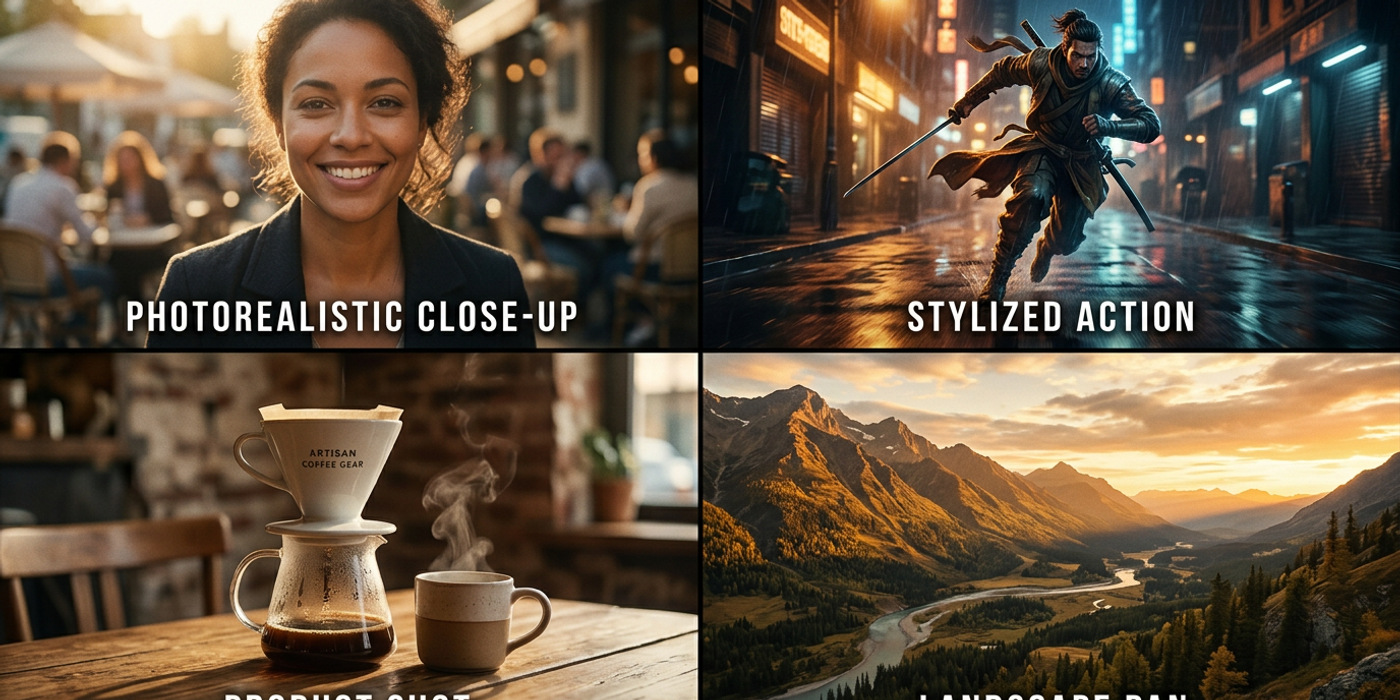
Combine Veo 3.1, Kling 3.0, and Seedance 2.5 in multi-model pipelines for cinematic AI video production in 2026. A practical guide for HK creators.
The race for cinematic AI video quality isn't won by a single model — it's won by knowing how to combine them. In early 2026, Veo 3.1 was the undisputed champion of realistic AI video. By September 2026, Kling 3.0, Seedance 2.5, and new entrants like MiniMax H3 and FLUX 3 Video have changed the game entirely. The best cinematic results now come from multi-model workflows that use each model's strengths.
This guide covers how Hong Kong creators can combine today's top AI video models — Veo 3.1, Kling 3.0, and Seedance 2.5 — into production pipelines that deliver consistent cinematic quality. We'll cover shot-by-shot model selection, temporal consistency across cuts, cost optimisation, and real workflows used by HK agencies.
Why Single-Model Thinking Is a Creative Dead End
Every AI video model has strengths and weaknesses. Veo 3.1 excels at realistic human motion and natural lighting. Kling 3.0 produces stylised sequences with strong compositional control. Seedance 2.5 handles fast-paced action cuts better than either. FLUX 3 Video delivers consistent characters across shots.
Relying on one model for an entire video production means you inherit its weaknesses across every shot. The smartest HK agencies now storyboard not just scenes but model assignments — they decide per shot which model to use.
Building a Multi-Model Cinematic Pipeline
A typical multi-model workflow follows four stages: pre-visualisation, per-shot generation, temporal stitching, and post-production.
Stage 1: Pre-Visualisation and Shot Planning
Map out your video as individual shots. For each, specify: subject motion, camera movement, lighting conditions, and desired realism level.
Choose Veo 3.1 for: - Realistic human performances (actors, dialogue scenes, interviews) - Natural lighting transitions (sunset, sunrise, indoor-to-outdoor) - Slow, deliberate camera movements (crane shots, dolly-ins)
Choose Kling 3.0 for: - Stylised compositions with strong colour grading - Fantasy or surreal visual sequences - Brand content with specific aesthetic requirements
Choose Seedance 2.5 for: - Fast-paced action shots (car chases, sports, fight scenes) - Dynamic camera movements (pans, whip pans, fast zooms) - Short, punchy cuts under 3 seconds
Stage 2: Per-Shot Generation with Consistent References
Consistency across shots is the hardest problem. Here's the workflow HK agencies use:
1. Generate a style reference image using Seedream 4 or Nano Banana 2 that defines your video's look — colour palette, lighting, composition 2. Use this reference as an I2V input for every model 3. Prompt each model consistently: same character descriptions, locations, time of day 4. Generate 3-5 variations per shot and pick the best
Cooly Studio's unified workspace supports this natively — switch between Veo 3.1, Kling 3.0, and Seedance 2.5 without leaving the interface.
Stage 3: Temporal Stitching
Once you have per-shot clips, stitch them into a coherent sequence:
Colour grading across cuts. Different models output different colour profiles. Apply a unified LUT in post-production so shots from different models belong in the same film.
Audio continuity. Consistent ambient track, sound effects, or background music smooths model transitions. Tools like Gradium TTS generate consistent voiceover across the runtime.
Transition logic. Avoid hard cuts between visually different models. Use cross-fades, match cuts, or B-roll overlays. A 0.5-second cross-fade between a Veo 3.1 shot and a Seedance 2.5 shot is often enough.
Stage 4: Post-Production Optimisation
Apply final touches: - AI upscaling: Topaz Gigapixel or Magnific AI to bring all clips to consistent resolution - Frame interpolation: Smooth frame-rate mismatches between models - Audio sync: Ensure voice and lip movements match across model changes
Cost Optimisation in Multi-Model Pipelines
Budget-conscious HK creators should think in credit economics:
| Model | Cost per Clip (5s, 1080p) | Best For | |-------|---------------------------|----------| | Veo 3.1 | ~120 credits | Realistic human scenes | | Kling 3.0 | ~90 credits | Stylised sequences | | Seedance 2.5 Lite | ~70 credits | Action shots and tests | | FLUX 3 Video | ~85 credits | Character consistency |
Reserve Veo 3.1 for hero shots — close-ups and key emotional beats. Use Seedance 2.5 Lite for establishing shots and B-roll. Use Kling 3.0 for brand segments needing a specific look. This mix reduces per-minute video cost by 30-40% versus using Veo 3.1 for everything.
Real-World Example: A 60-Second HK Brand Ad
An HK agency producing a luxury brand commercial used this multi-model approach:
- Shots 1-3 (establishing, outdoors): Seedance 2.5 — fast cityscape pans - Shots 4-8 (product close-ups): FLUX 3 Video — consistent product rendering - Shots 9-12 (talent performance): Veo 3.1 — natural actor movement - Shots 13-15 (lifestyle montage): Kling 3.0 — stylised colour-graded visuals
Total cost: 4,200 credits. Estimated if all Veo 3.1: 6,800 credits. Savings: 38%. Delivery: 2 days vs 5 days for traditional production.
The Bottom Line for HK Creators in Late 2026
The best cinematic AI video isn't about finding the "best" model — it's about building a workflow that uses each model where it excels. Hong Kong creators adopting multi-model pipelines produce higher-quality work at lower cost. Cooly Studio makes this practical with unified access to all major models, consistent reference management, and real-time cost tracking per shot.
Frequently Asked Questions
Q: Which model produces the most realistic human faces? A: Veo 3.1 still leads for natural human performances, though Kling 3.0 has closed the gap since its July update. For dialogue scenes, start with Veo 3.1.
Q: How do I keep characters consistent across different models? A: Use the same reference image and character description as input for every model. FLUX 3 Video is particularly strong at consistent character rendering across multiple generations.
Q: Can I use multi-model pipelines on Cooly Studio? A: Yes. Cooly Studio gives you access to Veo 3.1, Kling 3.0, Seedance 2.5, FLUX 3 Video, and more — all from one interface with shared reference management and generation history.
Q: What's the minimum editing experience needed? A: Basic familiarity with video editing helps, but isn't required. Many HK creators start with one primary model and add a second for specific shots after a few projects.
Q: How much can I save by using multiple models? A: Typical savings range from 25-40% depending on shot composition. Action-heavy videos benefit more since Seedance 2.5 Lite costs significantly less than Veo 3.1 per clip.
Q: Does using multiple models affect quality? A: When done correctly — with consistent reference images, colour grading, and smart transitions — multi-model videos are indistinguishable from single-model productions. Quality improves because each shot uses the best model for that scene.
Q: When should I NOT use multi-model? A: If your video is a single continuous take (no cuts), or you need absolute character consistency throughout, consider FLUX 3 Video for the whole project. Multi-model shines in edited, multi-shot productions.